What Is the Copy.ai Annual Plan Refund Issue? (Step-by-Step Resolution Guide)
Unintended annual charge on your card from Copy.ai? Learn why auto-renewals happen, how their refund policy works, and the exact step-by-step process to get your money back.

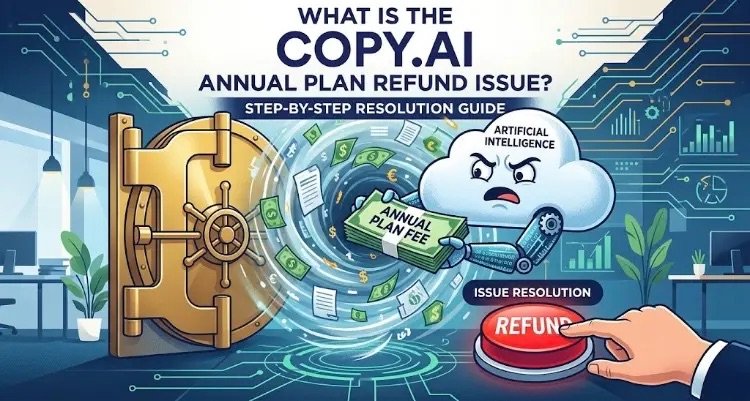
An overview of the Copy.ai annual plan refund issue and how to request your money back.
While AI-powered content generation tools have transformed the way we write and create, managing subscriptions and billing can sometimes bring unexpected headaches. Lately, one of the most frequent complaints among Copy.ai users involves unintended annual plan renewals, unexpected credit card charges, and the uphill battle to secure a refund.
If you’ve suddenly noticed a hefty charge on your account or want to know how Copy.ai handles annual renewals, here is a breakdown of what is happening behind the scenes and the exact steps you can take to get your money back.
Understanding the Copy.ai Annual Refund Problem
The main issue users run into stems from a combination of automatic renewals (auto-renewal) and a strict, narrow refund policy.
Here is how the scenario usually plays out:
- Unnoticed Auto-Renewals: Users sign up for a discounted annual subscription or start a free trial with card details attached. Fast-forward a year (or a week after a trial), and the system automatically charges the card for a full year’s subscription—often amounting to hundreds of dollars—without a prominent heads-up email.
- Strict Refund Policies: When users discover the charge and immediately request a refund, they are met with Copy.ai’s baseline policy: recurring subscription renewals are non-refundable.
- Tight Windows & Delayed Support: Where refunds or grace periods are permitted, the eligibility window is extremely tight (often just a few days from the transaction date). Users trying to reach support during this period sometimes get stuck in automated email loops, causing them to miss the deadline.
- No Self-Service Refund Button: While canceling a subscription through the user dashboard is easy, canceling only stops future billing—it does not automatically trigger a refund for funds already drawn. To get money back, users must explicitly deal with the support team.
Step-by-Step Guide: How to Request a Refund
If Copy.ai billed your card for an annual plan without your intent, take the following steps immediately to maximize your chances of getting refunded:
1. Cancel Future Auto-Renewal (Right Away)
First, prevent any future charges. Log into your account and navigate to Account Settings > Billing / Subscription, then select Cancel Subscription.
Important: Canceling stops the next billing cycle, but it does not automatically process a refund for the current charge.
2. Submit an Immediate Support Ticket
Send an explicit refund request to the support team. Reaching out through official contact channels as soon as possible is critical.
- Support Emails:
help@copy.ai,support@copy.ai, orhi@copy.ai - What to Include in Your Message:
- The email address linked to your Copy.ai account.
- The date, time, and exact amount of the transaction.
- A clear statement indicating that you have not used any credits or generated content since the renewal took place.
- If you reside in the EU or UK, mention your statutory 14-day Right of Withdrawal.
3. File a Chargeback with Your Bank
If support denies your request or fails to respond within a reasonable timeframe, contact your bank or credit card provider.
- Request a Chargeback / Payment Dispute for an unauthorized or unintended recurring charge.
- Provide documentation showing you immediately canceled the service, did not consume the product after the charge, and attempted to resolve the dispute with the merchant directly. Banks often favor consumers in clear cases of unnotified recurring digital software fees.
Proactive Tips to Avoid Unexpected Software Charges
Whenever you subscribe to an annual software-as-a-service (SaaS) plan, set a calendar reminder one to two weeks before the renewal date. Alternatively, if you only plan to use a trial or short-term offer, cancel the auto-renewal in your account settings immediately after signing up. Your active access will usually remain through the end of the trial period, but you won’t have to worry about a surprise annual bill.