Copy.ai Verification Email Not Showing Up? Here’s Why and How to Fix It
Stuck on the "Check your inbox" screen? Discover the top reasons why your Copy.ai verification email isn't arriving and follow our 6-step troubleshooting guide to activate your account in under two minutes.


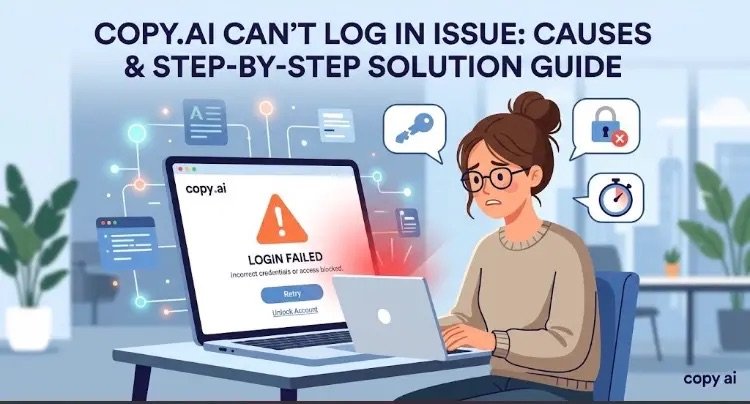
Troubleshooting Copy.ai email verification issues: A step-by-step visual guide to clearing browser blockers, checking SSO settings, and bypassing spam filters.
Few things are more frustrating than hitting a workflow bottleneck before you even begin. You sign up for Copy.ai, eagerly click to get started, and then… absolute silence in your inbox. No verification link. No confirmation code. Just a screen telling you to check your email.
Before you abandon your brainstorming session, take a breath. This is a common hiccup usually tied to account setup edge cases, browser interference, or strict email filters. Here is a breakdown of why this happens and how to get verified in under two minutes.
Why Is the Verification Email Missing?
When an automated confirmation fails to reach you, the issue typically sits in one of three areas:
- Authentication Confusion (SSO Mismatch): If you initially registered using “Continue with Google” or “Continue with Microsoft,” Copy.ai binds your identity to that OAuth provider. Attempting to sign in later via a standard email and password field won’t trigger a standard verification workflow because no direct password was ever assigned to the account.
- Aggressive Security & Spam Filters: Modern email gateways—especially corporate
@company.comdomains—often quarantine automated transactional messages before they reach your primary view. - Client-Side Blockers: Ad-blocking extensions, strict privacy scripts, or stale browser cache can silently block the API call that requests the dispatch of the confirmation email in the first place.
6 Steps to Resolve the Issue Fast
Follow these straightforward troubleshooting steps to get your account activated:
1. Try Social Single Sign-On (SSO) First
If there is a chance you created your account with a single click via Google or Microsoft, traditional password/email verification requests won’t land properly. Go back to the login screen and click “Continue with Google” or “Continue with Microsoft” using the exact address you intended to register.
2. Search Beyond the Primary Inbox
Transactional emails bypass main views surprisingly often.
- Check your Spam, Junk, and Promotions tabs.
- Use your provider’s search bar and query
from:copy.aior look for the exact subject phraseEmail Confirmation.
3. Open an Incognito Window
Browser extensions like uBlock Origin, Privacy Badger, or custom script blockers frequently interfere with login mechanics.
- Open a clean Incognito / Private Window (
Ctrl + Shift + NorCmd + Shift + N). - Head to Copy.ai and attempt the registration or log-in request again.
4. Clear Site Cookies and Refresh
Corrupted browser cache can leave your session stuck in a permanent loading loop. Clear your browser data for Copy.ai, then perform a hard refresh (Ctrl + F5 on Windows or Cmd + Shift + R on Mac) before requesting a new code.
5. Check Corporate Email Settings & Firewalls
Workplace email addresses managed through custom domains often block automated messages at the mail-server layer.
- To verify if your corporate firewall is the culprit, try creating an account with a personal
@gmail.comaddress. - If the personal email receives the link instantly, ask your IT department to whitelist the domain
copy.ai.
6. Avoid Rapid Re-requests
If you didn’t receive the email right away, resist the urge to click “Resend Email” repeatedly. Spam prevention protocols may place a temporary rate-limit lock on your address. Wait 2 to 3 minutes between attempts to ensure the request processes cleanly.
Still Having Trouble?
If you have tried every step above and the confirmation link remains MIA, Copy.ai may be experiencing temporary server-side delay. You can reach out directly to their user support at support@copy.ai from your registered address to request a manual account verification.