

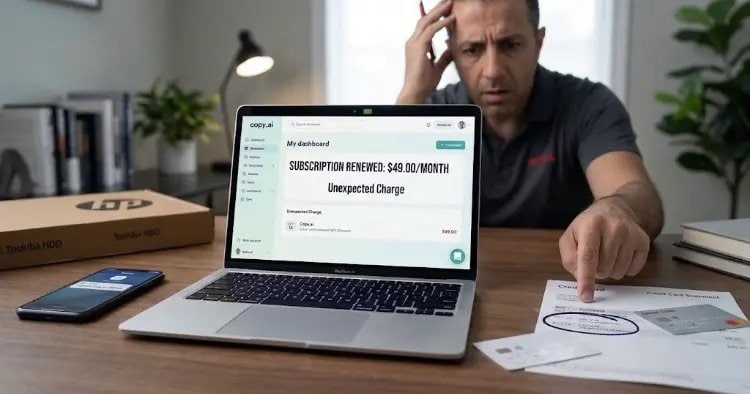
“A user reviewing a credit card statement showing an unexpected charge for a Copy.ai subscription renewal. Learn the exact steps to cancel your account and get your money back.”
Did you open your credit card statement only to find an unfamiliar or forgotten charge from Copy.ai? You are not alone. AI content generation tools are extremely popular right now, and many of them attract users with “free trial” offers. However, once those trial periods end, the system often automatically converts your account into a paid recurring subscription.
Here is a simple, straightforward breakdown of why Copy.ai charged your card, how to stop future payments, and the exact steps to get your money refunded.
1. Why Did This Unexpected Charge Happen?
This type of automatic charge usually occurs for one of three main reasons:
- Forgotten Free Trial: If you entered your credit card details to sign up for a trial and didn’t cancel before the trial ended, Copy.ai automatically upgraded you to a paid plan.
- Auto-Renewal: If you previously paid for a monthly or annual Copy.ai subscription, the system automatically renews and charges your card at the end of each billing cycle until you manually cancel.
- Accidental Annual Billing: When selecting a subscription, you might have accidentally chosen a yearly plan (billed as a single lump sum upfront) instead of a monthly option.
2. How to Resolve It (Step-by-Step Guide)
To secure a refund and prevent any future billing, follow these two essential steps in order:
Step A: Cancel the Subscription Immediately
Canceling ensures you will not be charged again on the next billing date.
- Log in to your account at Copy.ai.
- Go to Account Settings or Billing (usually located in the bottom-left corner or under your profile menu).
- Find your active plan and click Cancel Subscription, then confirm the cancellation.
Step B: Request a Refund from Support
Canceling stops future charges, but it does not automatically refund the money already taken. You must submit a request to Copy.ai’s customer support team.
- Open the Help / Support widget inside your Copy.ai dashboard, or send an email directly to
support@copy.ai. - Send a short, clear refund request using the template below:
Subject: Request for Refund – Unexpected Charge
Message: Hello Copy.ai Support Team,
I noticed an unexpected charge on my credit card for a Copy.ai subscription on [Date of Charge]. I did not intend to renew or subscribe to this paid plan.
I have already canceled my subscription and would like to kindly request a full refund for this recent transaction.
Registered Email: [Your Copy.ai Account Email] Transaction Date & Amount: [Date & Amount Charged]
Thank you for your assistance.
3. Will Copy.ai Issue a Refund?
- Act Quickly (Within 24–48 Hours): If you contact support as soon as you notice the charge, they are much more likely to issue a full refund as a courtesy.
- Do Not Use the Service: Avoid generating any content or using your word credits after the charge occurs. Unused account activity makes refund approvals significantly faster and easier.
4. What If They Refuse Your Refund?
If Copy.ai support denies your request or fails to respond within a few business days:
- Contact your credit card provider or bank.
- File a Chargeback / Payment Dispute.
- Explain that you were charged for an unauthorized or forgotten recurring subscription and that you attempted to resolve the issue directly with the merchant without success. Your bank will investigate the transaction and can reverse the charge.