

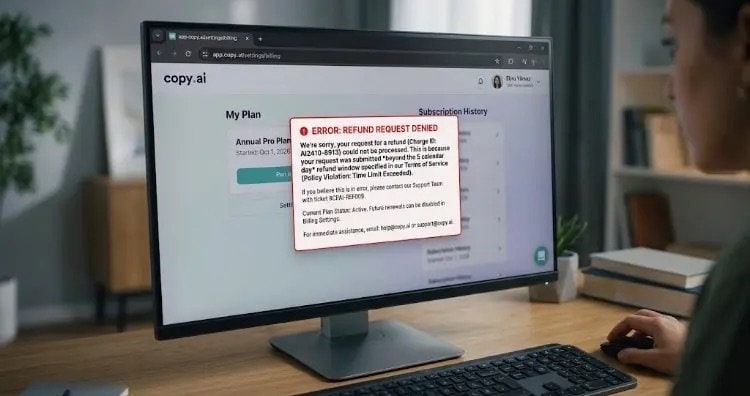
Screenshot of a denied Copy.ai refund request error message on the billing dashboard due to exceeding the 5-day policy window.
Copy.ai is one of the most popular AI-powered content generation tools on the market, widely used by marketers, copywriters, and content creators. However, behind its popularity lies a growing number of complaints regarding its subscription models, automatic renewals, and—most notably—its refund request process.
User reviews across platforms like Trustpilot, Reddit, and G2 highlight common friction points when users attempt to get their money back. In this comprehensive guide, we examine the main refund issues reported by Copy.ai users and outline actionable steps to resolve them effectively.
Common Copy.ai Refund Issues Reported by Users
Based on feedback from various review boards and online forums, users frequently encounter the following obstacles:
- Delayed or Unresponsive Customer Support: The most frequent complaint involves long response times from the support team. Users report waiting days—sometimes weeks—to receive a reply to their support tickets, causing them to miss key policy deadlines.
- Unexpected Automatic Renewals: Many users report being caught off guard when a free trial or monthly subscription automatically transitions into an annual plan. Because large single payments are drawn all at once, affected users immediately request a refund, only to face resistance.
- Strict 5-Day Refund Window: According to Copy.ai’s Terms of Service, refunds are generally only considered within 5 calendar days of the initial purchase or renewal charge. Missing this brief window by even a few hours often results in an automatic refusal.
- Lack of Self-Service Refund Options: While users can easily cancel a subscription within their account dashboard, initiating an actual refund requires contacting support directly, adding friction to the process.
How to Get a Refund from Copy.ai: Step-by-Step Solution
If you were charged unintentionally or are dissatisfied with the service, follow these clear steps to maximize your chances of securing a refund:
Step 1: Act Quickly (Check the 5-Day Window)
Time is critical. As soon as you notice the unwanted charge on your account or credit card statement, initiate your request immediately to stay within the official 5-day period.
Step 2: Submit a Direct Support Request
Instead of relying solely on generic contact forms, send a clear, written email directly to Copy.ai’s support channels:
- Support Emails:
help@copy.ai,support@copy.ai, orhi@copy.ai - Essential Information to Include:
- The primary email address associated with your Copy.ai account
- The date and time of the charge
- Invoice ID or Transaction Number
- A clear and concise statement requesting a full refund
Step 3: Immediately Cancel Your Active Subscription
Requesting a refund does not automatically turn off recurring billing. Navigate to Account Settings > Billing inside your Copy.ai account and select Cancel Subscription. This ensures you won’t be charged again during the next billing cycle while your refund request is pending.
Step 4: File a Chargeback (If Support Fails to Respond)
If Copy.ai fails to respond within a reasonable timeframe or unfairly denies a legitimate request made within the allowed window, keep all written documentation (email timestamps, support tickets, and account statements). Contact your bank or credit card provider to initiate a chargeback / payment dispute based on merchant non-responsiveness.
Best Practices to Avoid Future Billing Surprises
- Set Reminders for Trial End Dates: Mark your calendar a day or two before a trial ends to decide whether to keep the service.
- Disable Auto-Renew Immediately: If you sign up for a paid plan just to test it out for one period, immediately turn off auto-renewal in the billing tab.
- Use Virtual Cards: Consider paying via virtual credit card services that allow you to set strict spend limits or pause cards after a single transaction.
Final Thoughts
While Copy.ai remains a powerful assistant for digital marketing and copywriting, understanding its billing terms is essential. If you encounter refund issues, act fast, keep a clear record of all communications, and utilize your payment provider’s dispute channels if customer support is unresponsive.