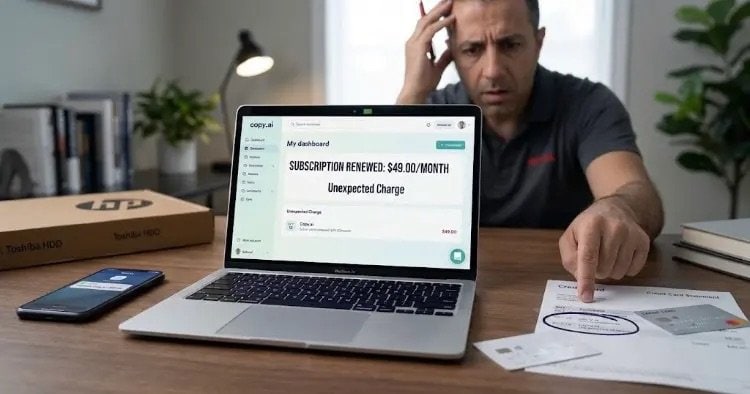


Highlighting the fine print: Understanding Copy.ai’s 5-day refund window and credit usage clauses.
If you have spent any time experimenting with AI writing tools, chances are you have run into Copy.ai. It is a fantastic platform for generating marketing copy, blog outlines, and social media posts. But if you take a quick scroll through Reddit, Trustpilot, or user forums, you will quickly notice a recurring trend: dozens of users complaining about surprise credit card charges and denied refunds.
Most people assume this is just a technical glitch or a sneaky charge. However, the issue actually lies hidden within Copy.ai’s official Terms of Service and Refund Policy.
There are two very specific “fine print” clauses that catch most users off guard. In this guide, we are going to break down how their refund policy really works and give you a step-by-step strategy to get your hard-earned money back.
The 2 Hidden Traps in Copy.ai’s Refund Policy
When users claim, “I cancelled my subscription, but they refused to give me a refund,” it usually comes down to two extremely strict rules built into Copy.ai’s terms.
1. The Strict 5-Day Window
While many SaaS (Software as a Service) platforms offer a standard 14-day or 30-day money-back guarantee, Copy.ai limits their refund window to just 5 calendar days from the transaction date.
If you do not notice the charge on your bank statement within those first 5 days, your refund request will automatically be declined by their system on day six.
2. The “Zero Usage” Rule (The Biggest Pitfall)
This is where 90% of users get caught. Suppose your card gets charged, you notice it within 2 days, and you immediately reach out to support. But right before sending that email, you log into your dashboard to see what was charged or generate a quick test paragraph.
Congratulations—you just voided your refund.
According to Copy.ai’s policy, if you have generated word credits or actively used the workspace during the billing cycle in question, they consider the service “rendered.” Because you used the platform, they will refuse to issue a refund, even if you are well within the 5-day limit.
3. Renewal Charges Are Non-Refundable
The 5-day window only applies to initial plan upgrades. If your monthly or annual subscription automatically renews and you forgot to cancel in time, Copy.ai holds a strict policy: recurring payments are final and non-refundable.
How to Get a Refund from Copy.ai (Step-by-Step)
If Copy.ai recently charged your card without your explicit intention, do not panic. Here is the exact path to reclaiming your funds:
Step 1: Lock Down Your Account (Do NOT Use Credits!)
The moment you see an unwanted charge, log into your Copy.ai account immediately, but do not generate any text, templates, or workflows.
- Go to Account Settings > Subscription.
- Click Cancel Subscription right away so you don’t get charged again next month.
Step 2: Contact Support with Specific Wording
When you open a ticket or email their support team, you will likely be met by automated AI chatbots that give templated responses like “According to our policy, we cannot issue a refund.”
Do not give up. Reply firmly and highlight these key details:
“I am requesting an immediate refund for transaction [Transaction ID]. This request is being made within the 5-day window, and no credits or tools have been used since the charge occurred. If this matter is not resolved promptly, I will be forced to initiate a chargeback with my bank for an unauthorized/unrendered service.”
Step 3: The Ultimate Weapon — File a Chargeback
If Copy.ai’s support refuses your request or uses the 5-day rule against you, your credit card provider or bank is your best ally.
- Call your bank’s customer service or navigate to the Dispute a Charge / Chargeback section in your online banking app.
- Select “Unauthorized Transaction” or “Cancelled Subscription Still Charged / Service Not Delivered.”
- Explain that you cancelled or did not utilize the digital service, yet the vendor refused a refund.
Under Visa and Mastercard network rules, banks heavily favor consumers when digital subscription platforms enforce overly restrictive refund terms for unused services. In most cases, your bank will credit the money back to your account and retrieve it directly from Copy.ai.
How to Protect Yourself in the Future
To avoid falling into similar subscription traps with AI tools down the road, follow these simple safety habits:
- Always Use a Virtual Card: Sign up for free trials or new subscriptions using a virtual credit card (like Privacy.com or your bank’s built-in feature) set to a $0 limit. If the trial ends, the charge simply fails.
- Cancel Immediately After Signing Up: On almost every platform, if you start a 7-day free trial and cancel it 5 minutes later, you still get to use the remaining 7 days for free—without risking an automatic renewal charge at midnight.
- Set Calendar Reminders: Always set a reminder on your phone 24 to 48 hours before any trial period expires.