
Copy.ai Free Trial Charged Me: Why It Happens and How to Get a Refund
Unexpectedly charged after your Copy.ai free trial? Learn why automatic billing happens, how to navigate the cancellation process, and the exact steps to claim a full refund.

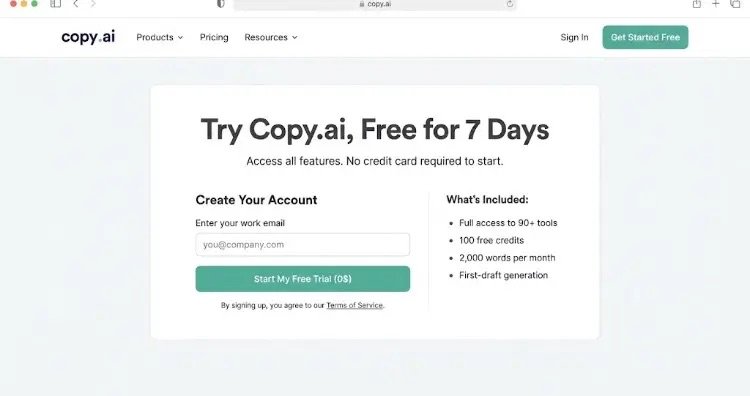
Copy.ai 7-day free trial sign-up interface before setting up an account.
I recently signed up for Copy.ai’s free trial to test out its AI writing features and streamline my content workflow. Since it offered a free trial, I figured I would just test the waters and cancel before getting billed if it didn’t fit my needs. To my surprise, as soon as the trial ended, my credit card was immediately charged for a subscription!
It turns out I’m far from the only one who has faced this issue. After researching user experiences across online forums and communities like Reddit, I noticed a widespread pattern of users running into the exact same problem.
Why Does This Keep Happening to Users?
Based on community reports and my own experience, here are the main reasons people get unexpected charges from Copy.ai:
- Complex Cancellation Flows (UI Traps): Clicking “Cancel Subscription” often doesn’t end the process. The platform redirects you through multiple discount offers and “Are you sure?” confirmation pages. Users who close the window before hitting the final confirmation screen assume they cancelled, but the subscription stays active in the background.
- Time Zone Differences: Renewal timers often reset based on UTC or US Eastern Time (ET). If you try to cancel on the final evening of your trial, the system may have already rolled over to the next billing cycle depending on your local time zone.
- Multiple / Mismatched Accounts: Users who sign in using Single Sign-On (SSO) or Google login sometimes log into a secondary email account by mistake, cancelling the wrong profile while the active subscription remains tied to their primary card details.
- Missed Renewal Reminders: Automated notification emails can easily land in spam folders or go unread, leaving users unaware until they see a charge on their card statement.
Step-by-Step Solution: How to Get Your Money Back
If Copy.ai charged your card without your explicit intention, here is the exact process to request a full refund:
1. Contact Copy.ai Support Immediately
Copy.ai generally maintains a 5-Day Money-Back Guarantee policy for initial billing cycles and renewals. To receive a refund, you need to reach out to their support team promptly.
- Support Email: Send an email to
support@copy.aior submit a ticket directly through your account dashboard. - Email Template:“Hello, I signed up for a free trial but was unexpectedly charged on my credit card. I did not intend to renew the paid subscription. As this is within the refund period, I kindly request a full refund of $XX and the cancellation of my subscription. My account email is: [Your Email Address]. Thank you.”
2. Fully Confirm Your Cancellation
To stop any future recurring charges:
- Log into your Copy.ai dashboard.
- Navigate to Workspace Settings > Billing.
- Click Cancel Subscription and ensure you complete every prompt until you reach the final confirmation screen.
- Keep the confirmation email or save a screenshot verifying that your subscription status is explicitly marked as cancelled.
3. File a Chargeback with Your Bank (If Needed)
If customer support does not respond within a few business days or refuses a valid refund request under their policy, contact your credit card issuer or bank to open a Dispute / Chargeback. Provide your bank with screenshots showing your cancellation request and communication history as evidence of an unauthorized auto-renewal.
Key Tips to Avoid Free Trial Traps in the Future
- Use Virtual Cards: When signing up for SaaS or AI trials, use a virtual credit card where you can set a spend limit of $0 or delete the card immediately after registration.
- Cancel Right After Joining: On most platforms, cancelling immediately after starting a trial allows you to keep access for the full trial duration without risking an unexpected charge at the end.
- Save Confirmation Screenshots: Always capture a screenshot of the “Subscription Cancelled” notice on-screen and save any confirmation receipts for your records.